
DocuProjects guides · UAE
Project Costing FAQs: Labour Costs, Estimates and Profitability
Know where your project stands—from employee hours and expenses to budgets, costs and profitability—with clearer visibility for every team.
Can I see which employees worked on each project?
Yes. Employees can be assigned to projects, with their recorded working hours and activities reflected in project-level timesheets. You can see the people and effort involved in each project.
Is Project Costing connected with Attendance?
Yes. DocuProjects Attendance and Project Costing work together, so recorded and allocated attendance helps update project labour costs automatically—without preparing separate timesheets from scratch.
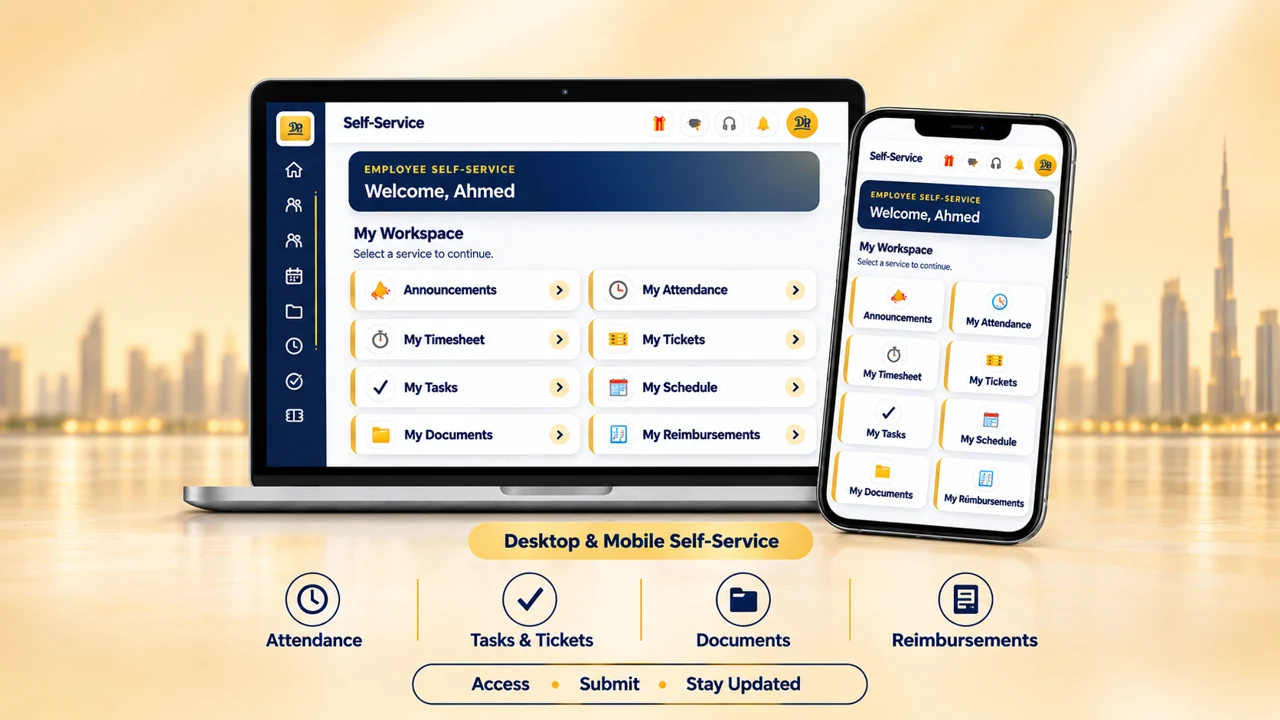
Can employees use self-service on a mobile phone or laptop?
Yes. Employees can check in and out through DocuProjects self-service on either device. When attendance is allocated to a project, the recorded hours feed its timesheet and labour costs. Administrators can require a selfie or restrict check-ins to assigned project locations.
Can different employees have different cost rates?
Yes. Employee-specific rates help you see labour costs more accurately, even when team members have different roles and cost structures.
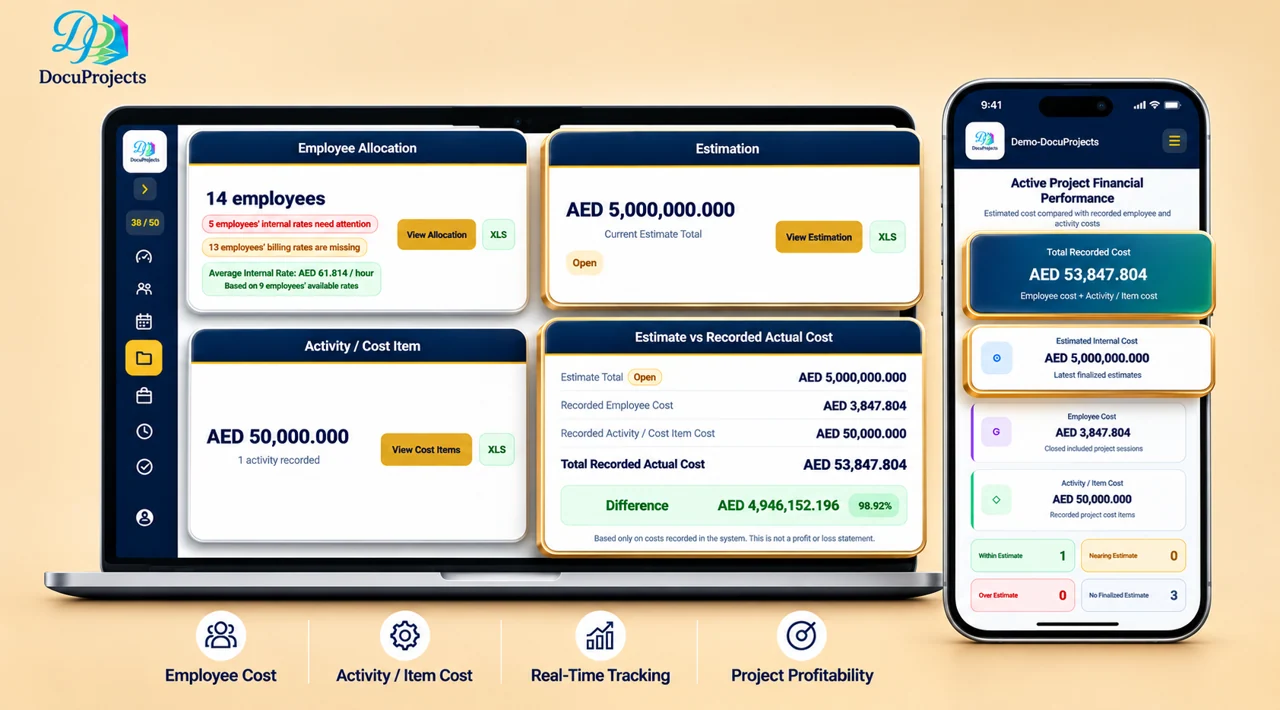
Can I compare estimated costs with actual costs?
Yes. Estimate vs Actual views show how project spending compares with the original estimate, helping you spot cost overruns earlier. The industry guide shows how contractors and engineering firms track project labour costs.
Does it include employee expenses and other project expenses?
Yes. In addition to labour costs, you can track employee-related expenses and other project expenses for a more complete picture of project costs.
How do I know whether a project is profitable?
Project dashboards bring costs and revenue into view, helping you assess profitability, identify projects at risk of loss and monitor performance as work progresses.
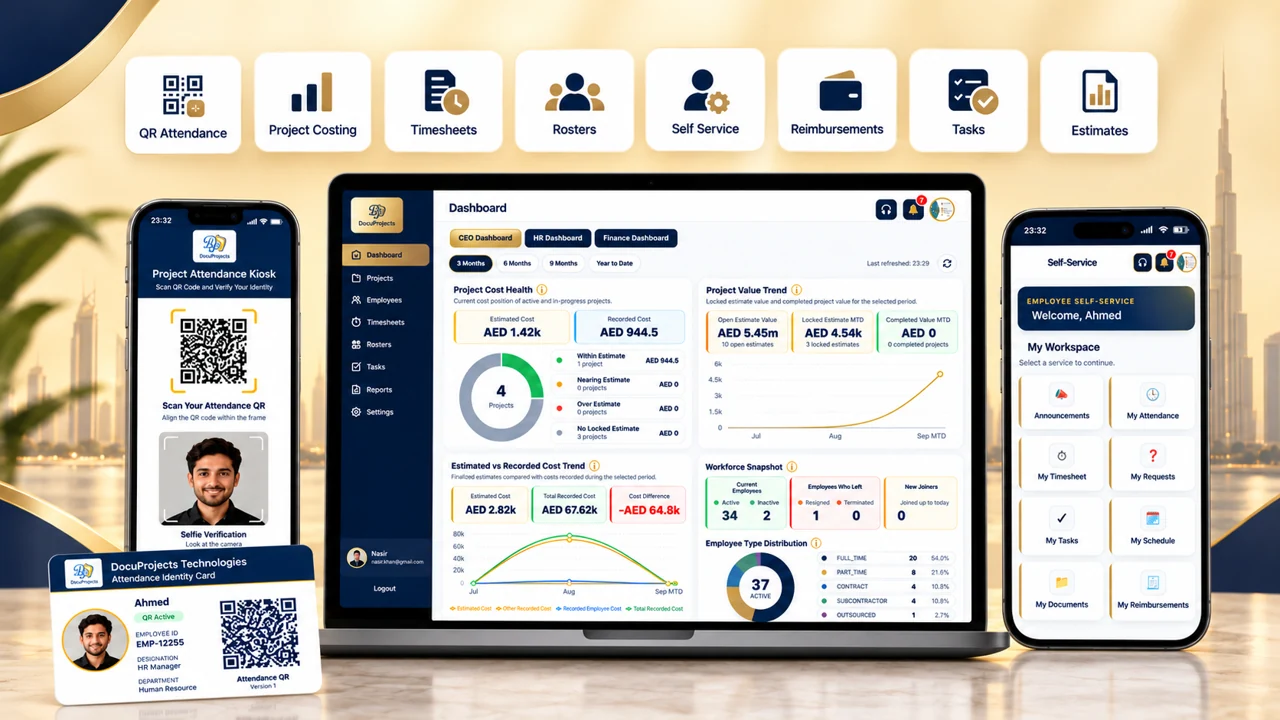
Can HR, Finance and management see the bigger picture?
Yes. Dedicated HR, Finance and management dashboards, along with analytical reports, show employee effort, costs and project health—both for individual projects and across your project portfolio.
Curious how attendance is captured in the first place?
Explore employee check-in, check-out and automated timesheets.